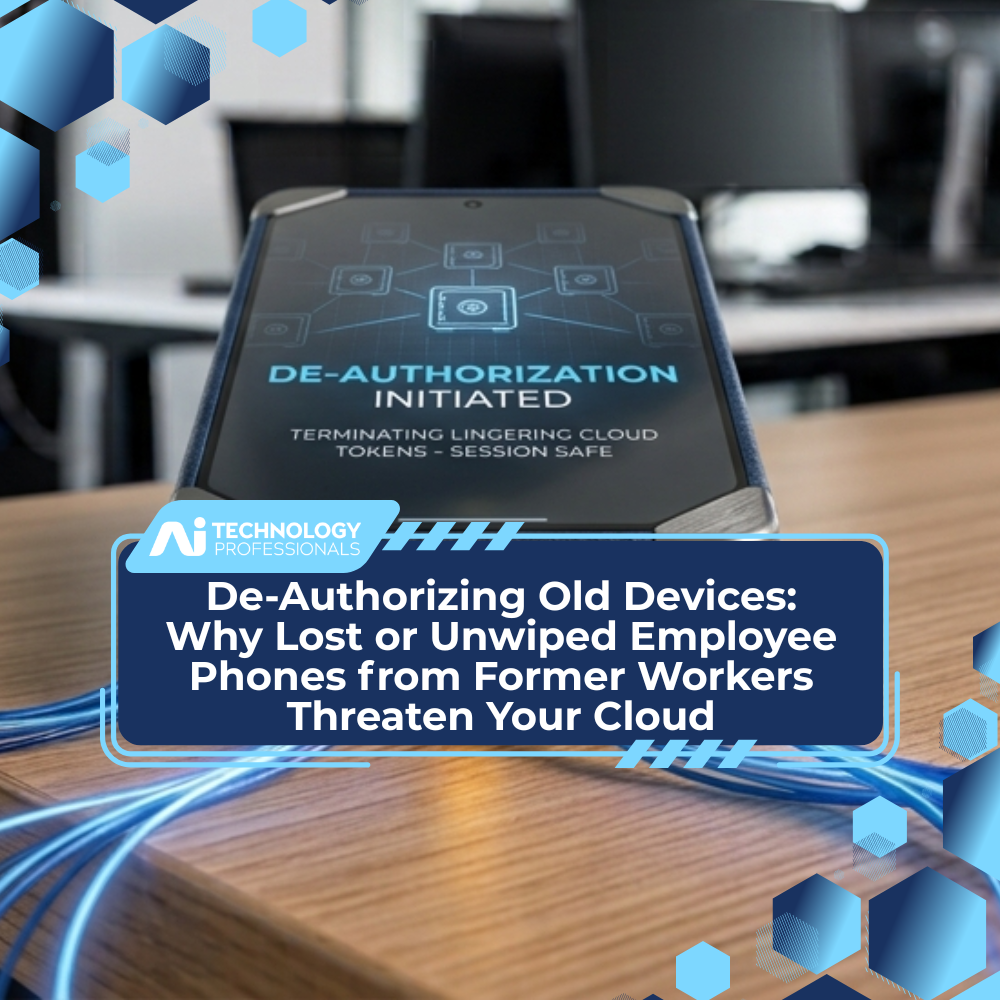
When employees leave an organization, access offboarding usually focuses on revoking email access, disabling Active Directory accounts, and collecting company-owned hardware. However, cloud-first architectures rely on persistent OAuth tokens, multi-factor authentication (MFA) session cookies, and cached local tokens tied directly to mobile endpoints. If a former worker retains a personal device that was ever used to access company cloud resources—or if an unmanaged phone is lost without being wiped—it remains a silent, trusted gateway into your tenant. Resolving this threat requires moving past standard identity revocation to enforce active endpoint de-authorization, cloud session invalidation, and continuous compliance checks.
Executive Summary
- The Security Blind Spot: Standard account offboarding disables credentials but often leaves persistent cloud tokens and trusted device registrations intact on former employees’ phones.
- The Cloud Risk: Attackers or former staff can bypass traditional login prompts via active OAuth refresh tokens, stored passkeys, or approved MFA authenticator apps.
- The Solution: Organizations must implement unified endpoint de-authorization, immediate session revocation, conditional access policies tied to device compliance, and remote-wipe protocols for corporate data.
The Offboarding Illusion: Why Disabling an Account Isn’t Enough
Most business leaders assume that clicking “Disable User” in Microsoft 365 or Google Workspace instantly cuts off all access to corporate data.
In modern cloud environments, that assumption is dangerously incorrect.
Cloud platforms prioritize user convenience, relying heavily on persistent authentication state to avoid forcing users to log in every time they check an email or view a document. When an employee leaves, their phone often holds active refresh tokens, cached access credentials, and trusted MFA app registrations.
Key Takeaway: An account marked as “disabled” in your directory may still have active cloud sessions running on an unmanaged smartphone sitting in a former employee’s drawer.
If that device is lost, stolen, or accessed by the former employee months later, those lingering authorizations allow direct entry into your cloud repositories—completely bypassing standard perimeter controls.
The Architecture of the Threat: How Lingering Sessions Exploit Cloud Identity
To understand why old phones remain dangerous, leadership teams must look at how modern authentication protocols operate behind the scenes.
1. OAuth Refresh Tokens Outlive Directory Status
When a user signs into apps like Outlook, Slack, or Teams on a mobile device, the cloud issuing authority grants an Access Token (short-lived) and a Refresh Token (long-lived).
Even if password access is revoked, an active refresh token on a trusted phone can automatically request new access tokens without requiring the user to type a password.
2. The Unwiped Personal Device (BYOD) Gap
When an employee uses a personal device for work, IT departments often lack full Mobile Device Management (MDM) control.
When that worker exits, company access might be disabled at the identity provider level, but the local sandbox or cached data on the device remains intact unless specifically wiped via Mobile Application Management (MAM).
3. MFA Authenticator Seed Exposure
If an employee registered an authenticator app on their personal phone, that app remains a trusted factor. In scenarios where session tokens are hijacked or bad actors attempt credential stuffing, possessing the physical device with the registered authenticator allows seamless session approval.
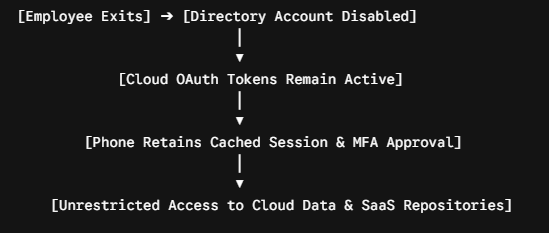
The diagram above illustrates how identity-only offboarding leaves a persistent technical pathway open on unmanaged mobile endpoints.
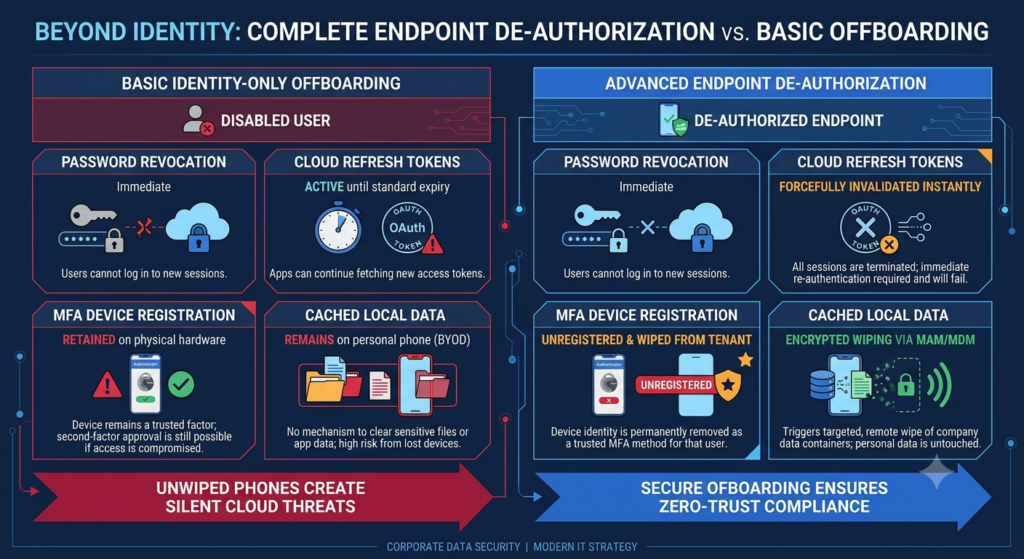
Quantifying the Risk: Identity-Only vs. Endpoint-Aware Offboarding To highlight the operational difference between basic account deletion and true endpoint de-authorization, review the comparison below.
| Offboarding Dimension | Basic Identity Offboarding | Advanced Endpoint De-Authorization |
| Password Revocation | Immediate | Immediate |
| Cloud Refresh Tokens | Active until standard expiry | Forcefully invalidated instantly |
| MFA Device Registration | Retained on physical hardware | Unregistered & wiped from tenant |
| Cached Local Data | Remains on personal phone | Encrypted wiping via MAM/MDM |
| Conditional Access | Checked only at initial login | Evaluated continuously per request |
Leaving these endpoints unmonitored creates a massive attack surface that growing mid-sized enterprises often overlook until a breach occurs.
Strategic Steps to Complete Endpoint De-Authorization
Securing your cloud against old or unwiped endpoints requires a hybrid approach combining identity management, mobile policy, and automated workflows.
Step 1: Revoke Active Refresh Sessions Programmatically
Ensure your IT team uses automated scripts or identity platform features (such as Azure AD / Entra ID “Revoke Sessions”) during the offboarding checklist. This invalidates all issued OAuth refresh tokens across every device simultaneously, forcing an immediate re-authentication attempt that fails because the primary account is disabled.
Step 2: Enforce Continuous Access Evaluation (CAE)
Traditional cloud tokens last for hours before re-checking account status. Implement Continuous Access Evaluation to ensure that events like account disabling or location anomalies trigger instantaneous token revocation across mobile endpoints.
Step 3: Implement Selective Wipe via Application Management
Never allow unmanaged personal phones to access sensitive corporate cloud data without Mobile Application Management (MAM) containerization. MAM allows IT teams to issue a targeted remote wipe that removes all company data, cached files, and app sessions from a former employee’s phone without touching their personal photos or messages.
Step 4: Automate Endpoint Offboarding Workflows
Human error is the leading cause of un-wiped devices.
Integrate your Human Resources Information System (HRIS) directly with your Identity and Access Management (IAM) suite so that an HR termination event automatically triggers:
- Universal session invalidation.
- Unregistering the device from the tenant.
- Issuing an automatic MAM data wipe.
Diagnostic Questions for Business Leaders
Take these diagnostic questions to your internal IT team or managed service provider to evaluate your current risk exposure:
- Session Termination: When we disable a user in our directory, does our system automatically trigger an immediate revocation of all active OAuth tokens across mobile devices?
- MFA Hygiene: Are multi-factor authentication registrations automatically purged from a departing employee’s profile upon offboarding?
- BYOD Containment: Do we use Mobile Application Management (MAM) to ensure we can selectively wipe corporate data from personal devices remotely?
- Compliance Checks: Does our cloud identity provider block access automatically if a device hasn’t checked in for more than 30 days?
Securing modern cloud environments requires recognizing that identity and device trust are inseparable.