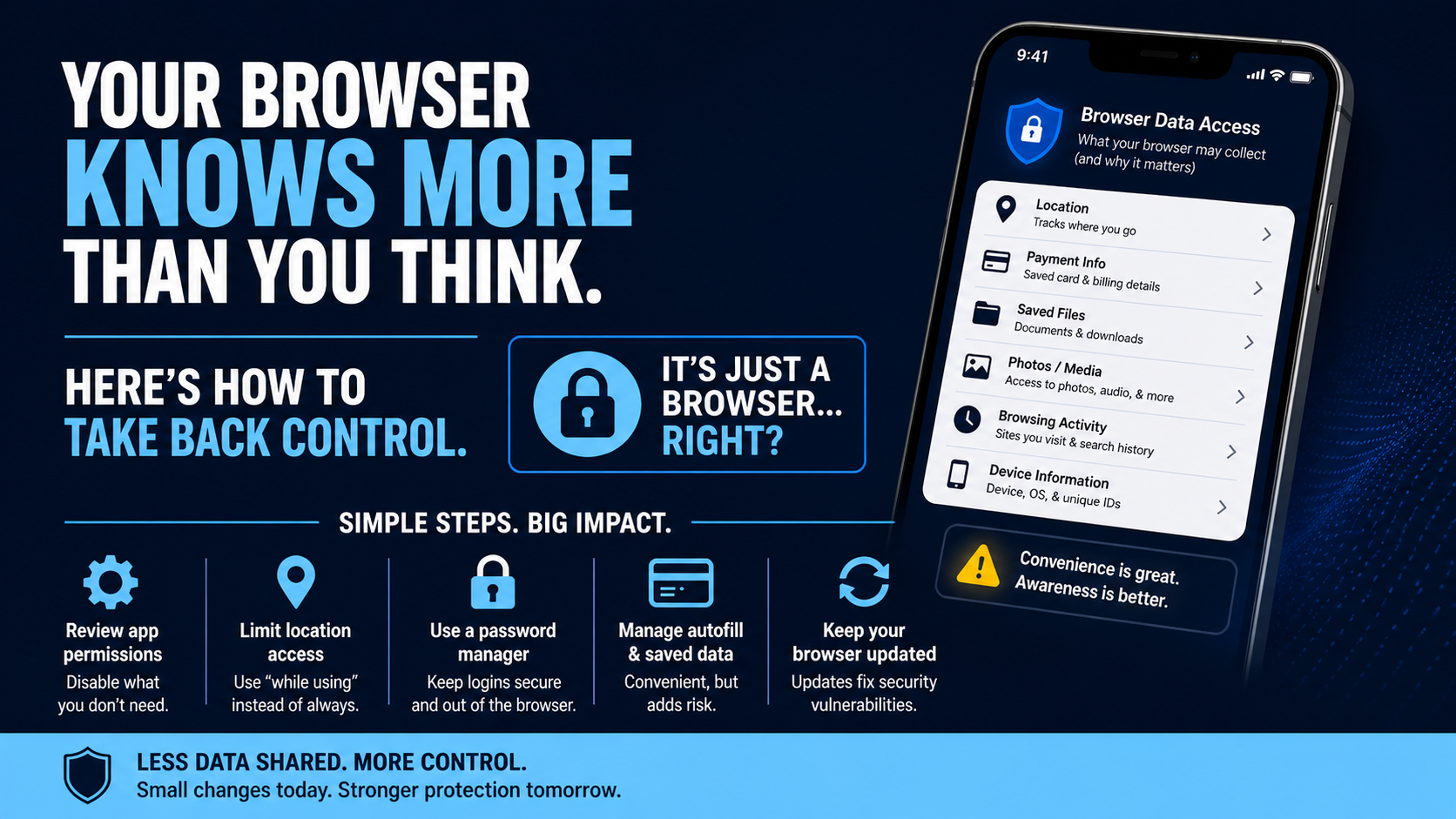
Hook: “It’s Just a Browser… Right?”
When you open a browser on your phone, it feels simple.
You check a site. Look something up. Move on.
Nothing complicated.
But here’s the question most people don’t ask.
How much does that browser actually know about you?
The Problem: Browsers Collect More Than Most People Realize
Most business owners assume their browser tracks the basics.
Websites visited. Maybe search history. Possibly location.
That would make sense.
But in many cases, it goes further than that.
Research looking at mobile browser privacy disclosures shows that some of the most popular options, including Chrome and Edge, collect a wide range of data.
Not just browsing activity, but things like:
- Location data
- Payment information
- Saved files
- In some cases, access to photos, audio, or other media
Now, to be fair, there are reasons for this.
Browsers need data to function. Syncing accounts, autofill, fraud prevention, and personalization all rely on it.
That part isn’t the issue.
Here’s where it becomes a problem.
Most people don’t realize how much they’ve allowed, how long that data sticks around, or where it might go next.
Simple Explanation: Why This Matters for Your Business
Think of your browser like a running logbook.
Over time, it builds a detailed picture of activity.
Not just casual browsing, but:
- Business tools you use
- Vendors you research
- Financial platforms you access
- Legal or HR topics you look into
That sounds harmless until it isn’t.
Because that data can be used to build profiles, target ads, or in some cases, become part of a larger data set if a company is ever breached.
And breaches happen.
When they do, it’s often this kind of identifying data that gets exposed first.
Real-World Example: How This Shows Up Day to Day
Let’s say you run a small business in Richmond.
You use your phone to:
- Check your bank
- Review contracts
- Look up vendors
- Manage email
All through your browser.
Over time, that activity paints a clear picture of how your business operates.
Now imagine some of that data is:
- Stored longer than you expected
- Shared with third parties for advertising
- Linked to your identity across multiple platforms
No single action caused a problem.
But the overall exposure adds up.
We see this a lot. It looks fine on the surface until you connect the dots.
The Solution: Reduce What You Share and Add Simple Safeguards
You don’t need to abandon Chrome or Edge.
They’re popular for a reason, especially in business environments.
This is about being more intentional.
Start with a few practical steps:
Review app permissions on your phone
Check what your browser can access. Location, files, photos, media.
Most people find things enabled that don’t need to be.
Limit always-on location access
If it’s not needed, turn it off or set it to “while using.”
Use a password manager
This keeps sensitive logins out of the browser itself and makes it easier to use strong, unique passwords.
Be mindful of autofill and saved data
Convenient, yes. But it also means more sensitive information stored in one place.
Keep your browser updated
Simple, but important. Updates fix known security issues.
None of this changes how you work day to day.
You still use the same browser.
You’re just giving away less in the background.
Key Takeaways
- Mobile browsers often collect more data than people expect
- Chrome and Edge are not unsafe, but they are data-heavy
- Browsing data can reveal detailed business and personal activity
- Over time, that data becomes valuable and potentially exposed
- Small changes in settings can significantly reduce your risk
CTA: Want a Second Set of Eyes on Your Setup?
Your browser is one of the most used tools in your business.
It’s also one of the most overlooked when it comes to privacy.
If you’re not sure what your current setup is exposing, it may be worth taking a look.
We can help you review your settings, tighten things up, and make sure your data isn’t being shared more than it needs to be.
No pressure. Just a practical conversation about keeping your business better protected.
Share this post