Artificial intelligence has become a practical tool in the workplace rather than just an abstract concept. In Microsoft 365, it’s a practical, embedded set of tools that transform how professionals work every day.
By adding AI directly to Word, Excel, Teams, Outlook, and other programs, Microsoft has made it possible for tasks that used to take hours to be finished in minutes. This gives your staff more time to work on strategy, creativity, and decision-making.
The New Era of Work: What AI in Microsoft 365 Looks Like
AI in Microsoft 365 is more than just automation. It’s about context-aware assistance that understands your workflows, anticipates needs, and provides intelligent recommendations without disrupting your rhythm. This isn’t a separate tool you need to log into. It’s woven into the apps you already use.
From Copilot for Microsoft 365, which can summarize meetings and draft emails, to Excel’s natural language data analysis, AI is enabling professionals to operate at a higher level of efficiency. According to Microsoft research, companies using these features report a 10–20% reduction in time spent on routine tasks and a 26% improvement in HR inquiry response times.
Technology is an always-available productivity partner that remembers details, organizes information, and turns raw data into actionable insights in seconds.
AI-Powered Productivity Tools in Action
Before diving into the specifics, it’s essential to understand that these aren’t abstract AI concepts or future promises. The tools we’ll explore are already built into the Microsoft 365 apps you use daily, designed to work quietly in the background or step in when you need them most.
Whether you’re creating reports, running meetings, managing data, or drafting client proposals, these AI-powered capabilities act as a digital partner, streamlining workflows and making complex tasks feel effortless.
Microsoft 365 Copilot: Your AI Assistant for Everything
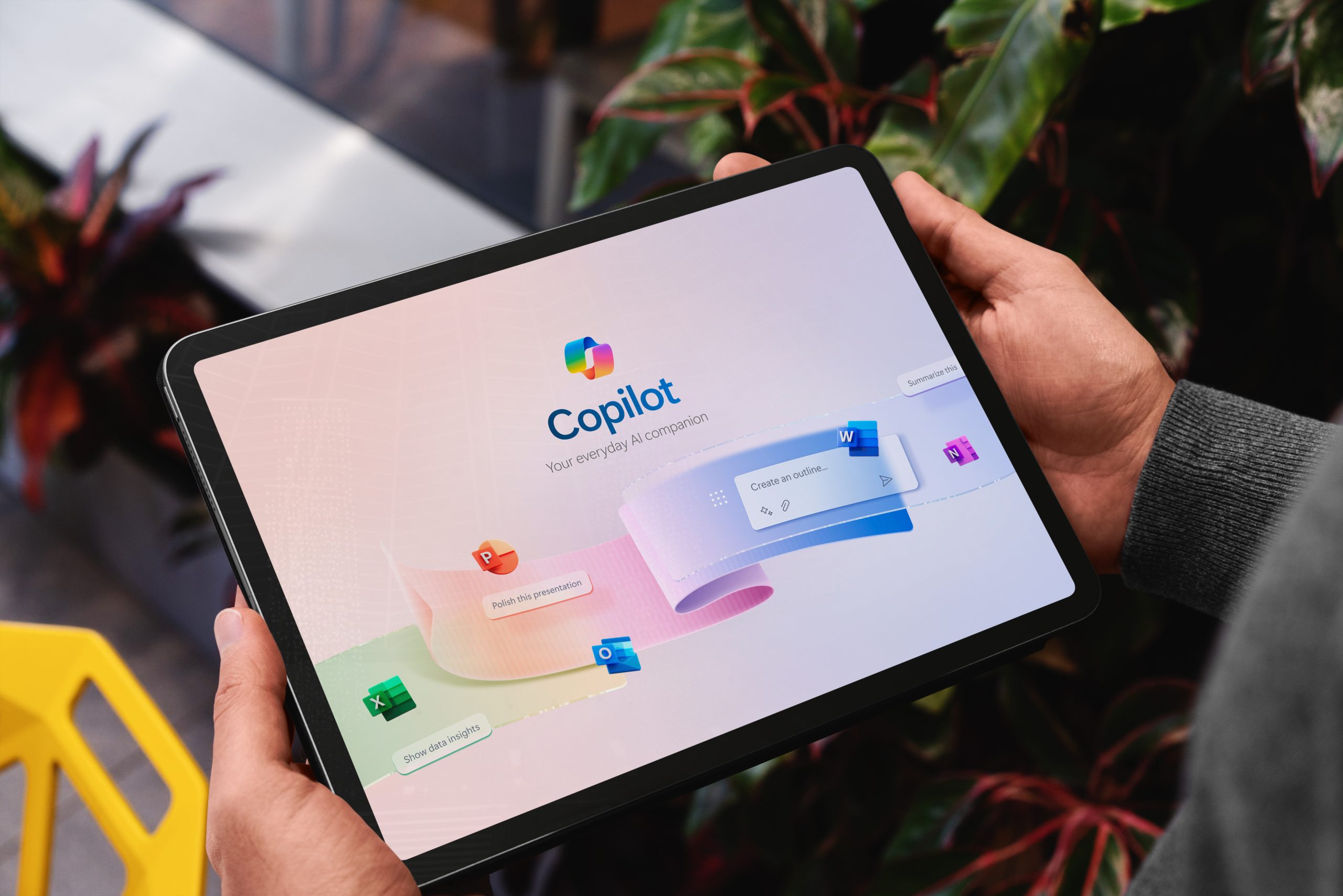
If you’ve ever left a meeting wondering what was agreed on, Copilot can ensure you never feel that uncertainty again. In Outlook, you can draft emails based on your notes or suggest responses to help you handle a packed inbox. In Teams, it can summarize meeting discussions, highlight key decisions, and generate action item lists that are ready to assign.
Imagine joining a project midstream and needing to catch up quickly. Instead of trawling past meeting recordings and chat logs, Copilot can generate a concise overview with links to the original context. This means less time for reviewing and more time for contributing.
Smarter Data in Excel: From Raw Data to Insights in Seconds
Data-driven decisions are only as effective as the insights behind them. Excel’s AI-powered “Analyze Data” feature lets you type questions in plain language, like “What are the top five regions by sales this quarter?” and receive instant charts or pivot tables.
Instead of manually sorting, filtering, and calculating, Excel automatically identifies patterns, outliers, and trends. For financial analysts, marketers, and operations managers, you can spend more time interpreting results and less time wrangling spreadsheets.
Intelligent Collaboration in Teams: Seamless Meetings and Summaries
Meetings often consume more time than they should, especially when follow-up actions are unclear. AI in Teams addresses this by generating real-time transcripts, translating them if needed, and producing AI-generated meeting recaps with clearly defined next steps.
This ensures that nothing gets lost in translation for global teams and that all members can read exact summaries, no matter their time zone. It reduces the “Did we agree on that?” moments and keeps projects moving forward without unnecessary back-and-forth.
Effortless Content Creation in Word & PowerPoint: Go from Blank Page to Polished Draft
Starting a blank document or slide deck can be one of the most time-consuming phases of work. AI in Word and PowerPoint changes this process by generating outlines, drafting sections, or creating full presentations based on existing documents.
For example, you could take a Word-based project proposal and have PowerPoint automatically create a presentation with suggested slides, images, and key talking points. This accelerates content creation and helps maintain brand consistency across materials.
The Tangible Benefits of AI-Enhanced Workflows
While the features are impressive, their value lies in their measurable results. AI in Microsoft 365 doesn’t just make work feel easier; it produces quantifiable gains that impact both individual performance and organizational outcomes.
From reclaiming hours in the workweek to improving the accuracy of reports and decisions, these benefits redefine what Microsoft 365 productivity looks like in the modern workplace.
Saving Time and Reducing Manual Effort
The biggest and most measurable impact of AI features in Microsoft 365 is the sheer amount of time reclaimed. Employees can focus on work that moves the business forward by automating tasks with Microsoft AI, like email sorting, meeting notetaking, and data analysis.
Organizations using these Microsoft 365 productivity tools report up to 40% productivity gains and cost savings as high as 30%.
Fostering Creativity and Strategic Focus
With AI handling the heavy lifting of research, drafting, and data preparation, employees can spend more time on high-value creative and strategic thinking. Without the burden of formatting reports, marketing teams can generate campaign ideas. Executives can focus on decision-making rather than compiling status updates.
This shift transforms roles from reactive task execution to proactive problem-solving, where innovation truly happens.
Improving Communication and Decision-Making
When information is instantly accessible and presented, communication improves. AI-generated summaries, action lists, and visual reports guarantee everyone’s alignment on priorities. This clarity leads to faster, more confident decision-making.
Microsoft Viva Insights takes one step further by analyzing work patterns to suggest ways to improve focus time, reduce meeting overload, and support employee well-being. These factors directly contribute to sustained productivity.
The Path to an AI-Powered Workplace: Getting Started
Implementing AI in Microsoft 365 is not just about turning features on; it’s about creating a culture that embraces them. Start with training sessions so teams can effectively leverage tools like Copilot, Excel’s Analyze Data, and Teams’ meeting recaps.
Consider piloting AI features with a single department, measuring outcomes like time saved and project turnaround speed, then expanding usage based on results. Partnering with Microsoft 365 consulting services experts can accelerate adoption and ensure your organization takes full advantage of available features.
Integrating AI within your cybersecurity and cloud solutions is essential, ensuring that the data AI tools work with remains protected while delivering maximum value.
The future of work is not about replacing people with machines but about augmenting human capabilities so organizations can operate with greater agility and precision. By strategically adopting AI in Word, Excel, Teams, and Outlook, businesses can unlock measurable gains in productivity and profitability.
Our team at AI Technology Professionals can help you install and optimize workplace productivity tools and assess the impact of Microsoft 365 AI capabilities on your organization. We’ll work with you to identify high-value use cases, train your teams, and ensure you’re seeing tangible results.
Contact us now to begin your AI productivity journey.
Share this post